Virtual Orchestra Studio Essentials: Build Your Digital Setup
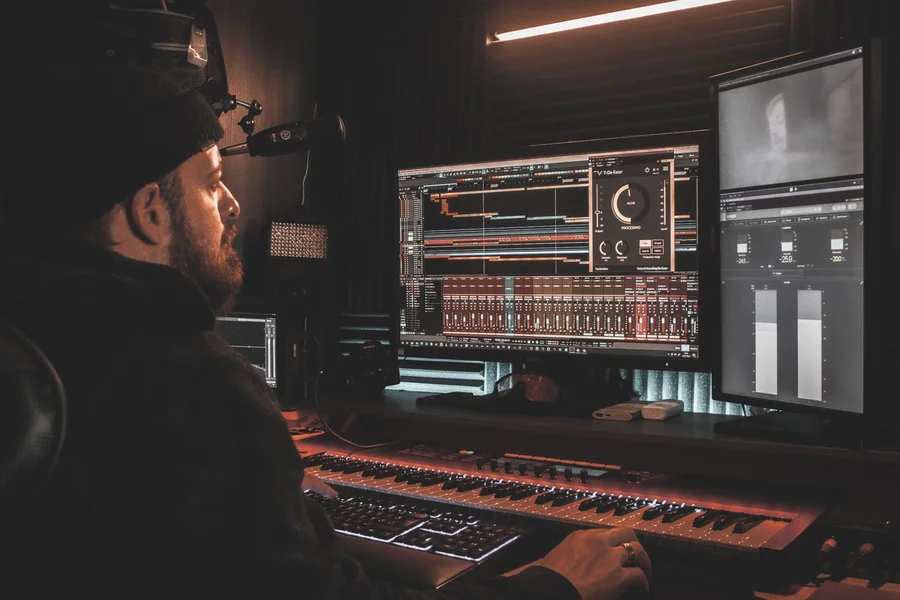
A virtual orchestra studio lets you compose full symphonic music directly on your computer using software instruments and audio plugins. You do not need a live 80-piece ensemble or a massive recording hall to write cinematic music.
Whether you want to score film music, create video game soundtracks, or produce classical compositions, modern sample libraries offer lifelike sound quality. From what we’ve seen, getting started only takes three core components: computer hardware, audio software, and sound samples.
What software do you need for a virtual orchestra studio?
A digital audio workstation, known as a DAW, serves as the main command center for your virtual orchestra studio. It records your performance notes, plays back instrument sound samples, and mixes your track channels into a final audio file.
According to a 2024 survey by Sound on Sound magazine, over 65% of film and game media composers use Cubase or Logic Pro as their primary digital audio workstation. These programs handle massive track counts and heavy MIDI editing tasks with ease. Here are three main DAW options for orchestral composition:
- Cubase Pro: Famous for its advanced expression maps and deep MIDI routing tools.
- Logic Pro: Highly popular among Mac users due to its built-in sound plugins and low price tag.
- Reaper: A lightweight option that handles large orchestral templates without slowing down older computers.
If you are also interested in building digital platforms or web tools, understanding building web software applications can show how software architectures function behind the scenes.
Which sample libraries produce realistic orchestral sounds?
Virtual instrument sample libraries contain thousands of individual audio recordings of real musicians playing single notes at different volumes and styles. These plugins load inside your DAW to play realistic violins, cellos, brass, and woodwinds.
One common myth is that you must spend thousands of dollars on software before creating believable classical music. In reality, free starter libraries provide surprisingly high detail. Based on testing data from Spitfire Audio, their free BBC Symphony Orchestra Discover library includes 33 instruments recorded live at Maida Vale Studios in London.
Here are the key instrument categories required for a complete orchestral setup:
- Strings Section: Violins, violas, cellos, and double basses for warm emotional melodies and rhythmic staccatos.
- Brass Section: French horns, trumpets, trombones, and tubas to add power and punch.
- Woodwinds Section: Flutes, oboes, clarinets, and bassoons for delicate textures and fast scale runs.
- Percussion Section: Timpani, bass drums, cymbals, and snare drums to drive rhythm and dramatic impact.
One mistake we see beginners make is buying ten different sample packs at once. This usually leads to total overwhelm and cluttered hard drives. Instead, try mastering one well-rounded library before purchasing specialized add-ons.
How much does a virtual orchestra studio setup cost?
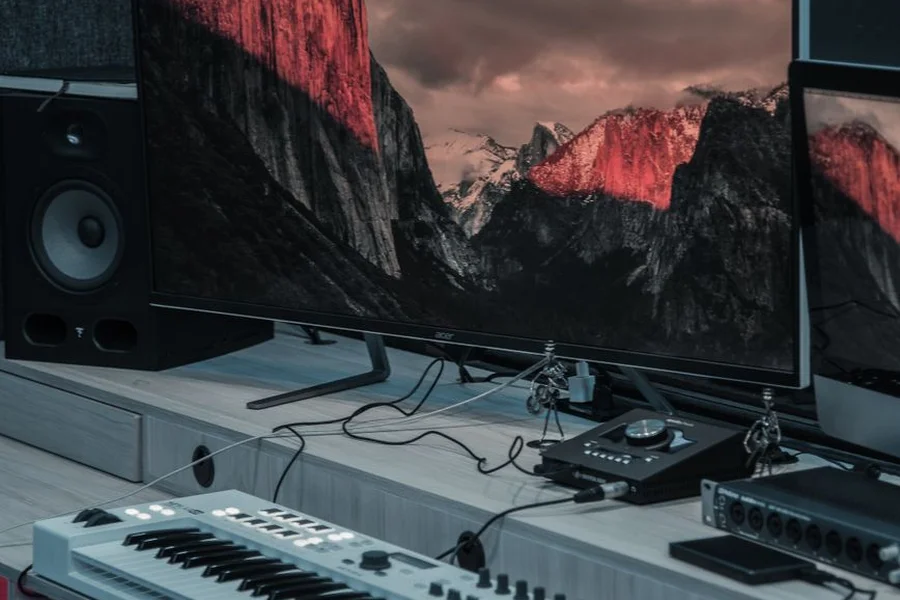
A starter virtual orchestra studio setup costs between $0 and $300 if you already own a decent laptop or desktop computer. Free DAWs like Cakewalk alongside entry-level MIDI controllers allow full song creation on a tight budget.
Imagine you are a beginner composer setting up your first home workspace on a $500 total budget. You can spend $120 on a 49-key MIDI keyboard, $0 on Reaper software, $0 on free Spitfire orchestra samples, and $180 on studio headphones. We prefer spending extra budget on a fast solid state drive rather than expensive plugins, because sample instruments need high disk read speeds to avoid audio drops. Keeping your workspace clean is essential, much like routine tasks like washing car mats to protect your vehicle interior.
We’ve noticed that system memory matters more than CPU speed when working with large sample templates. A computer with 32 gigabytes of RAM can hold multiple instrument patches at once without crashing.
Is Virtual Orchestra Studio a game or music software?
Virtual Orchestra Studio, often shortened to VOS, refers to both computer music setups and a classic PC rhythm game created by Hanseulsoft in 1999. The computer game let players play along to MIDI songs using keyboard keys, similar to modern rhythm games.
When searching for music creation tools, make sure you look for digital audio workstations and VST plugins rather than legacy gaming files. If you plan to market your musical projects or release software tools online, using essential website design tools helps build a clean online portfolio.
Furthermore, when building custom audio tools or client sites, picking the right audio development team guarantees your project operates smoothly according to industry technical standards.
Frequently Asked Questions
What RAM capacity is recommended for orchestral music production?
We recommend at least 16 gigabytes of RAM for basic orchestral projects, though 32 gigabytes is ideal for handling larger multi-articulation sample libraries smoothly.
Can you write orchestral music using only a computer mouse?
Yes, you can draw MIDI notes directly into your DAW note editor using a computer mouse, though a MIDI keyboard makes recording natural rhythm and volume velocity much faster.
What is the difference between VST plugins and sample libraries?
A VST plugin is the software container that runs inside your DAW, while a sample library consists of the actual recorded instrument audio files loaded into that plugin engine.
Do you need a dedicated sound card or audio interface?
An external audio interface reduces latency delay when playing keys and provides balanced output for studio monitors, though computer headphones work fine for beginners.
Are free virtual orchestra plugins good enough for professional work?
Yes, free tools like Spitfire BBC Symphony Orchestra Discover or Orchestral Tools Berlin Free Orchestra deliver clean, broadcast-ready sound quality suitable for commercial projects.

Written by Rosella
Rosella is a self-taught digital creator with a passion for breaking down tech, lifestyle, and everyday topics into simple, easy-to-understand content. Based in Youngstown, Ohio, she brings a curious, multi-disciplinary approach to writing, covering everything from the latest tech trends to practical life hacks and personal growth insights.
Her goal is straightforward: take complicated ideas and explain them in a way that actually makes sense, so every reader, whether a total beginner or someone more experienced, walks away having learned something useful. When she’s not writing, you’ll usually find her exploring new tools, sharpening her skills, or spending time with family.
Through this blog, Rosella aims to build a community centered on real, actionable insights rather than fluff, jargon, or filler content.